> ## Documentation Index
> Fetch the complete documentation index at: https://docs.cognigy.com/llms.txt
> Use this file to discover all available pages before exploring further.
# Once
 ## Description
The Once Node is used to execute a part of the Flow only once during a session. It can be reset using the Reset Context Node.
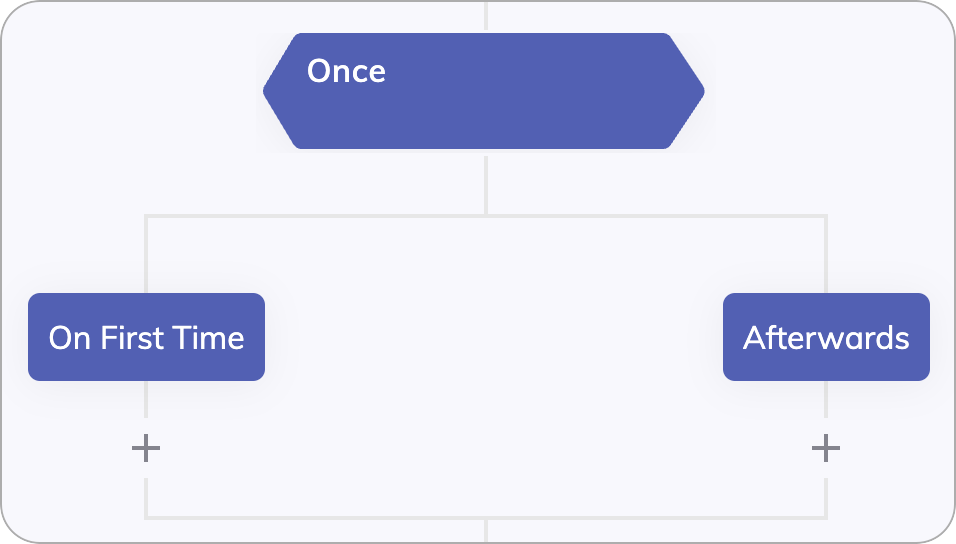
The Once Node has two child Nodes: an On First Time Node and an Afterwards Node. The first time that a Once Node is activated in a session, the On First Time Node is executed. All future activations of the same Once Node execute the Afterwards Node. It is common to use a Once Node to deliver a single welcome message to a new user, and ensure that the same message is not delivered again throughout the conversation.
## Description
The Once Node is used to execute a part of the Flow only once during a session. It can be reset using the Reset Context Node.
The Once Node has two child Nodes: an On First Time Node and an Afterwards Node. The first time that a Once Node is activated in a session, the On First Time Node is executed. All future activations of the same Once Node execute the Afterwards Node. It is common to use a Once Node to deliver a single welcome message to a new user, and ensure that the same message is not delivered again throughout the conversation.