

- Enhanced user interaction. Webchat v3 offers improved features and functionalities, leading to better user engagement and interaction.
- Customization options. With Webchat v3, you can customize the appearance and behavior of the chat widget to align with your brand identity and user preferences.
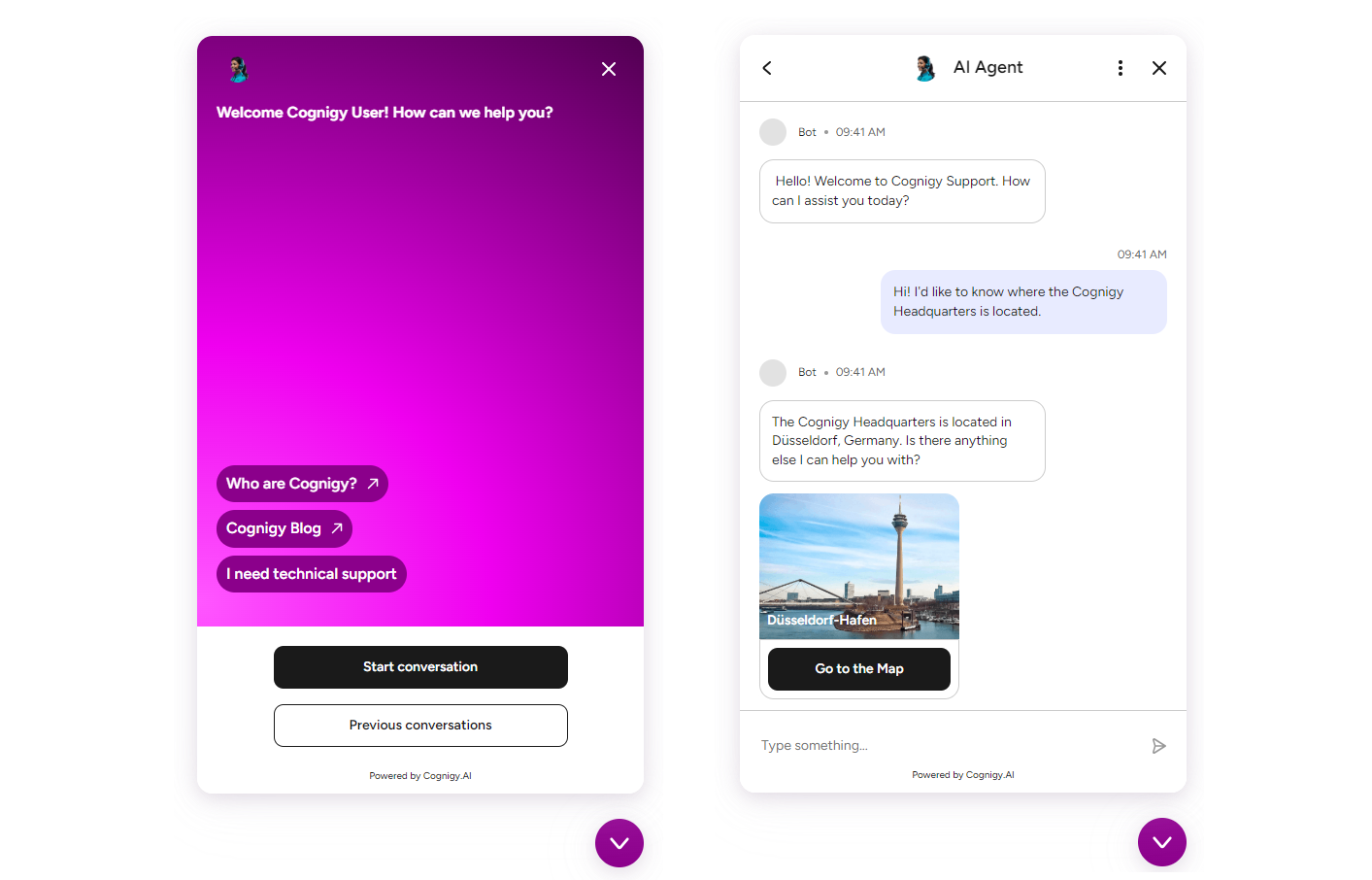
- Advanced functionality. The latest version of Webchat provides advanced functionalities such as rich media support, previous conversations, and real-time typing indicators1, enhancing the overall user experience.
- Modern design out of the box. With Webchat v3, you no longer need to spend time extensively configuring styles; most settings are in the endpoint configuration, so you can adjust styles in a user-friendly interface.
- Adherence to accessibility guidelines. Webchat v3 is designed to adhere to WCAG 2.2 Level AA guidelines, guaranteeing enhanced readability, seamless navigation, and interactive functionality within the interface.
- RTL support. Alongside the traditional LTR (left-to-right) layout, Webchat v3 supports RTL (right-to-left), enhancing usability for languages such as Arabic, Hebrew, and Urdu.
- npm package support. Alongside the hosted script integration, Webchat v3 supports the npm package, offering easier integration with modern frameworks, maintainable code, automatic updates, and compatibility with build systems and CI/CD pipelines.
Get started with Webchat v3
Start by reading the Webchat v3 documentation. These articles give you a fundamental understanding of its features, configuration, and how to integrate it into your project:- Key features. Explore the Webchat v3 features.
- Supported browsers. Explore the supported browsers for Webchat v3.
- Configuration. Create a Webchat v3 endpoint and customize its settings.
- Test Webchat v3 in the live preview of the endpoint editor, open Demo Webchat from the live preview, or build Webchat v3 locally using developer tools.
- Embedding. Launch Webchat v3 on your website.
1: If you integrate Webchat v3 with a contact center, note that only Live Agent, Genesys Cloud Open Messaging, Salesforce Enhanced Chat, and NiCE CXone support the Webchat v3 typing indicator.