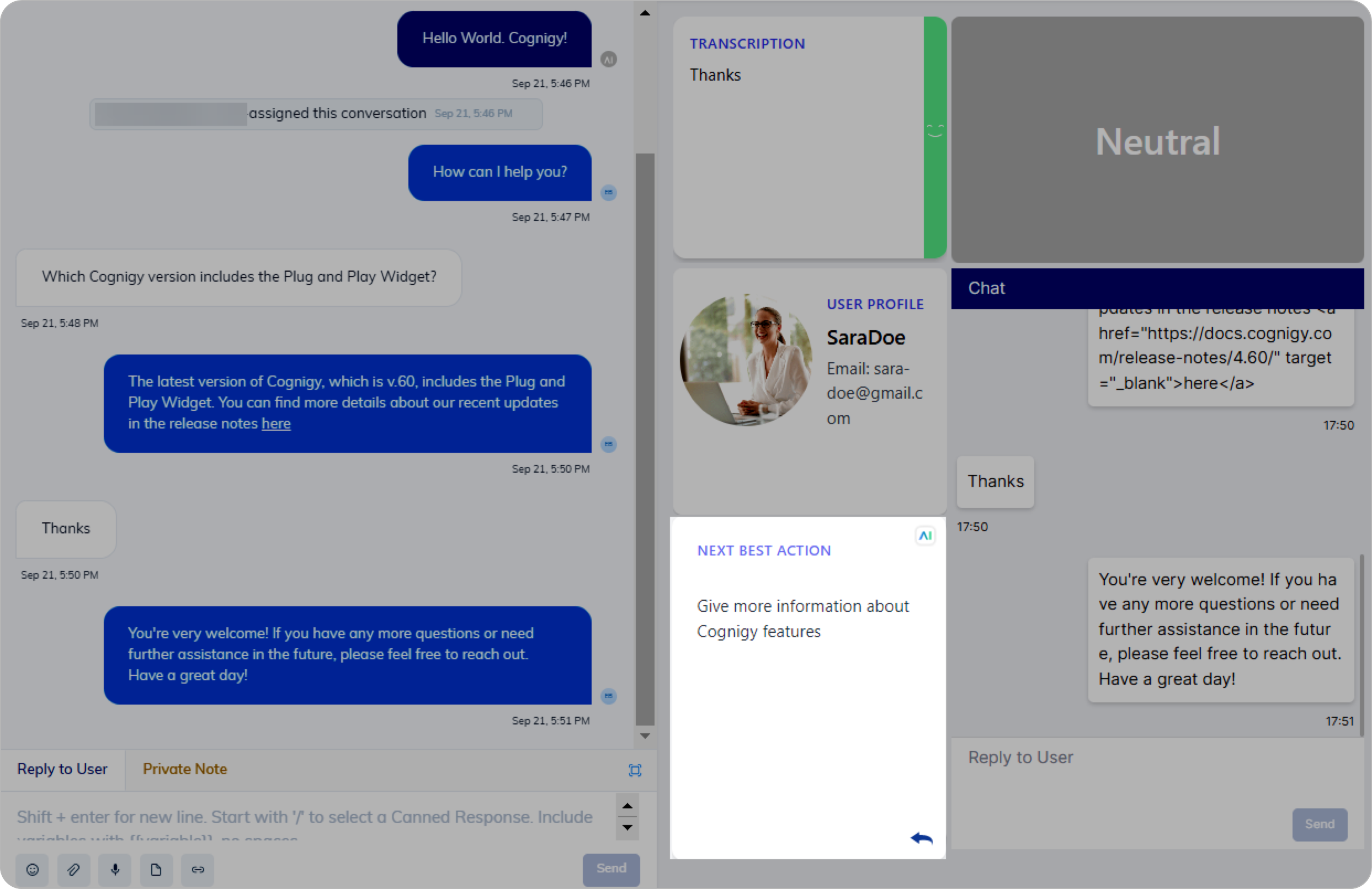
Description
This Node is designed to determine the appropriate next step or action in a conversation or process based on the user’s input or the current context. This Node helps guide a conversation flow and ensures that the system responds effectively to user requests or queries.Parameters
General Settings
General Settings
If you are using Live Agent as a handover provider, you can forward information from the widget to the Reply to User section by clicking 
Search Settings
Search Settings
Error Handling
Error Handling
Use Case
This Node helps the human agent by providing guidance and predefined instructions based on the user’s question. For instance, if a user asks about the latest release version, the AI Agent can give them both the answer and links to important updates in that release.