

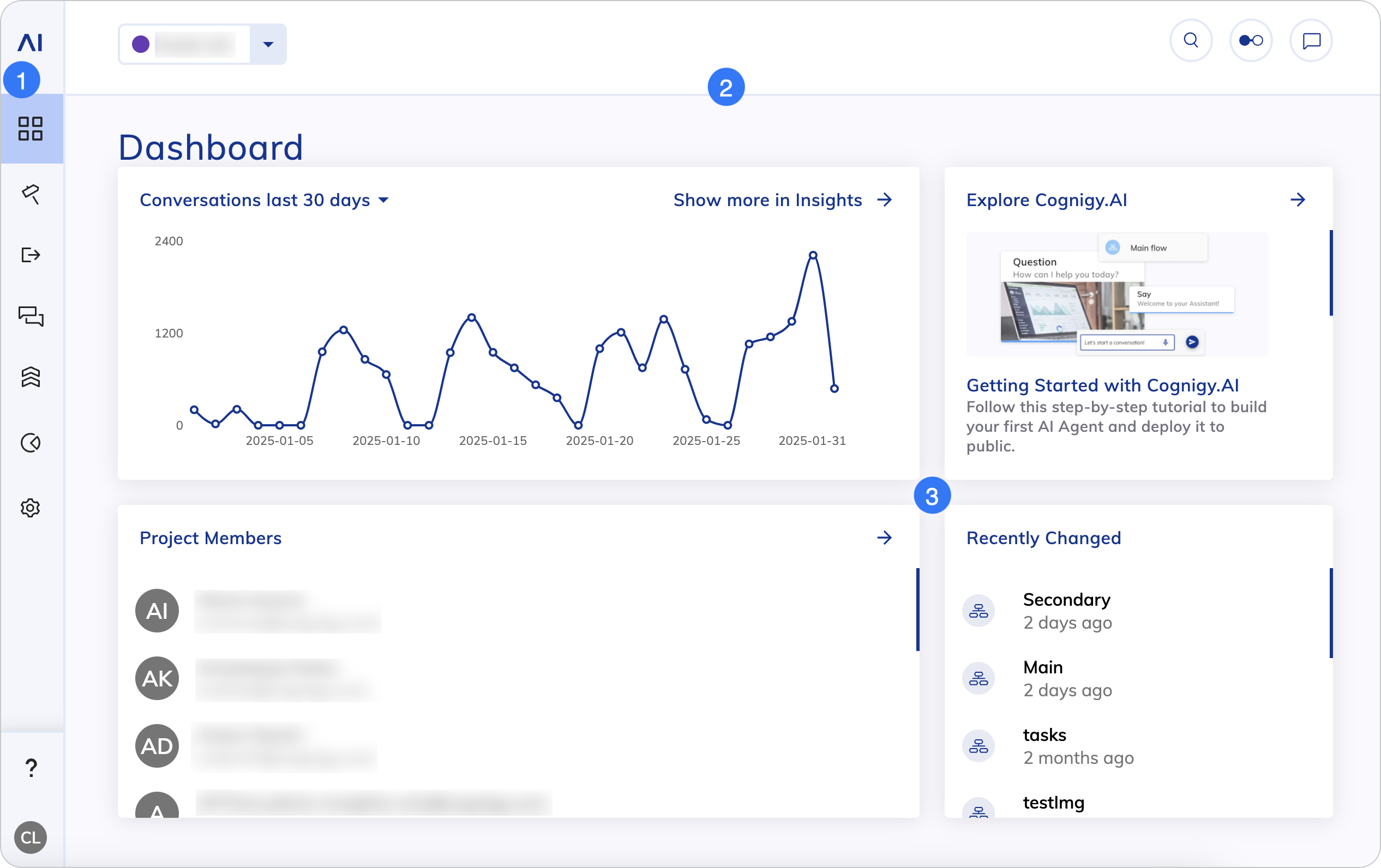
| Menu Item | Name | Description |
|---|---|---|
 | Main Page | Returns to the Main page. |
 | Project Page | Overview of your Project. |
 | Build | Configure the building blocks of your AI Agent. |
 | Deploy | Configure Endpoints to third-party systems and manage Snapshots for your production and test environments. |
 | Test | Use Playbooks and logs to test your AI Agent. |
 | Tweak | Use the Intent Trainer to analyze user input and improve your AI Agent. |
 | Insights | Opens Insights, where you can have an overview of key metrics that help you understand your AI Agents’ performance. |
 | Manage | Configure your Project settings, such as languages, Tokens, Contact Profiles and others. |
 | Help Center search | Opens the Help Center search widget, where you can search for answers to potential questions on the Cognigy Help Center. |
 | User Menu | Opens the User Menu. |
2. Top Bar
2. Top Bar
| UI Element | Type | Description |
|---|---|---|
 | List | Allows you to switch between Projects. |
 | Button | Opens the search field. |
 | Button | Opens the Task Panel and displays Task notifications. |
 | Button | Opens the Interaction Panel for testing AI Agents. |
3. Dashboard
3. Dashboard