

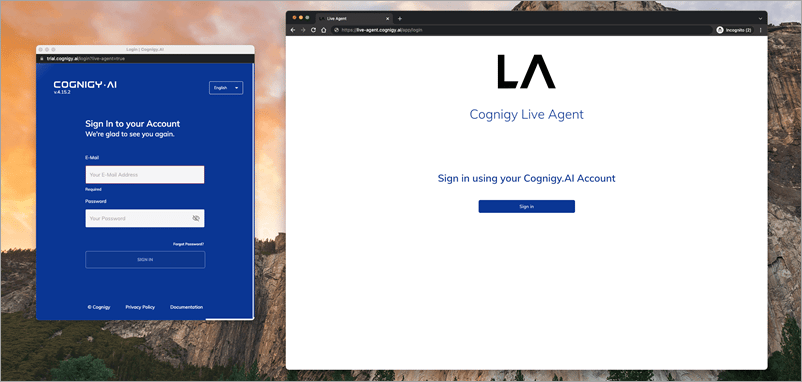
Remember that the user needs the proper roles to log in to Live Agent. Otherwise, an unauthorized error will be thrown.
Log in to Live Agent via CXone SSO
In CXone-integrated installations, users who have completed CXone SSO into Cognigy can access Live Agent without re-entering credentials. This direct access requires one of the following roles in Cognigy:liveAgentAgent, liveAgentAdmin, liveAgentSupervisor, or admin.
Migrate existing users who currently log in with their email and password to using Cognigy OAuth
Old users created from the Management UI can still log in using the/old-login endpoint.
However, it is recommended to migrate these users to use the Cognigy OAuth login. To initiate the migration process, follow these steps:
- Create a Cognigy user account with the same email as the old user.
- To log in to Live Agent, assign a valid role by following the guide Adding Agents and Admins to Live Agent.
- Log in to Live Agent using Cognigy OAuth (
/loginendpoint).
Once this process is completed, the user will no longer be able to log in using
/old-login, and any changes to their credentials must be made through the Cognigy platform.OAuth Errors
The following list contains common errors that can occur when using Cognigy OAuth.Something is wrong with the OAuth configuration
The problem concerns how the Cognigy and Live Agent APIs are configured to communicate. To resolve this, you must review and double-check the configuration for Live Agent in the Helm Values section. Additionally, verify the Cognigy ConfigMap that contains the Live Agent API endpoints and client data.The user organization {Organisation ID} was not found in the system
This error message indicates that no Live Agent account is associated with the specified Cognigy organization. To resolve this, you need to set up the organization in Live Agent. Please refer to the Cognigy Live Agent Setup guide for instructions on how to do this.
The Cognigy user is not authorized to access the system
If the user does not have the necessary permissions, follow the instructions provided in the guide Adding agents and admins to Live Agent to grant them the appropriate roles and resolve the authorization issue.CXone-SSO’d user without a Live Agent role (403)
If a user has completed CXone SSO into Cognigy but doesn’t have one of the required Live Agent roles (liveAgentAgent, liveAgentAdmin, liveAgentSupervisor, or admin), Live Agent returns a 403 error. To resolve this issue, assign the user one of the required roles by following the Adding Agents and Admins to Live Agent guide.