Intermediate · 25 minutes · Cognigy
What you will build
In this tutorial, you extend Klara, the customer service agent for the fictional company ACME Express. When a customer wants to change a delivery date, Klara hands the conversation over to a flow. The flow asks for the new date and confirms it. Then the flow hands the conversation back to Klara. A handover in both directions has two parts:
Use a flow for a scripted step that must run the same way every time, such as collecting a date, completing a form, or verifying an identity.
Before you start
Before you start, make sure you have the following:- The project Klara Tutorial with the agent Klara. To create them, follow Build Klara, a customer service agent.
- The Route to Flow tool and the Agents node are turned on for the project. To turn them on, go to Manage > Settings > Agent Settings and turn on Enable Route to Flow tool and Enable Agents node. Both are off by default.
Steps
1
Create the flow
- In the left-side menu of the project, go to Design > Flows.
- In the upper-right corner, click New Flow.
- In the Name field, enter
Reschedule Delivery. - Click Create. The flow chart opens with a Start node and an End node.
2
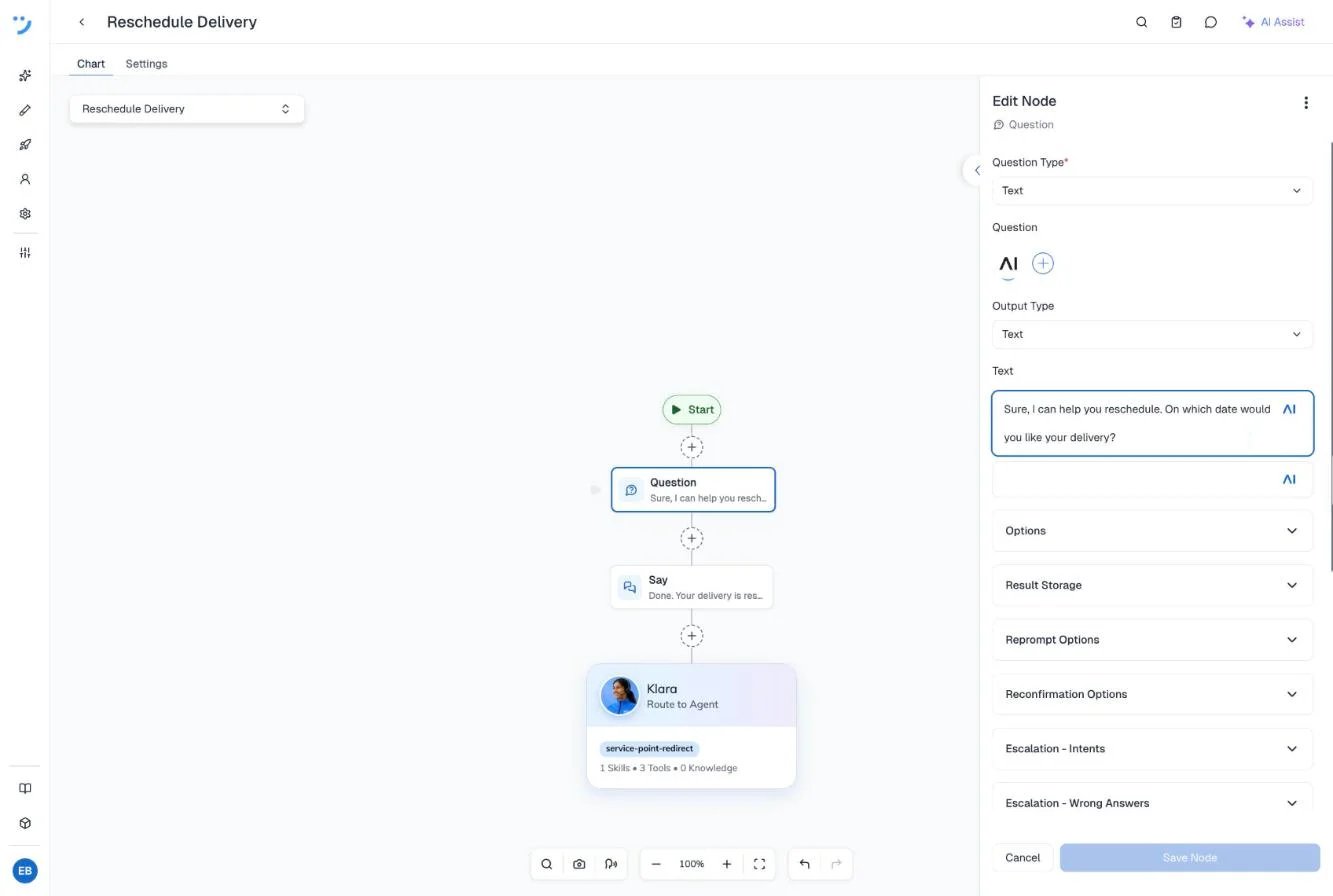
Ask for the new date
-
Click the plus icon below the Start node. In the search field, enter
Questionand select Question. - Click the Question node. The Edit Node panel opens.
- From the Question Type list, select Text.
-
In the Text field, replace
Yes or No?with the following text: - Click Save Node.
input.result.3
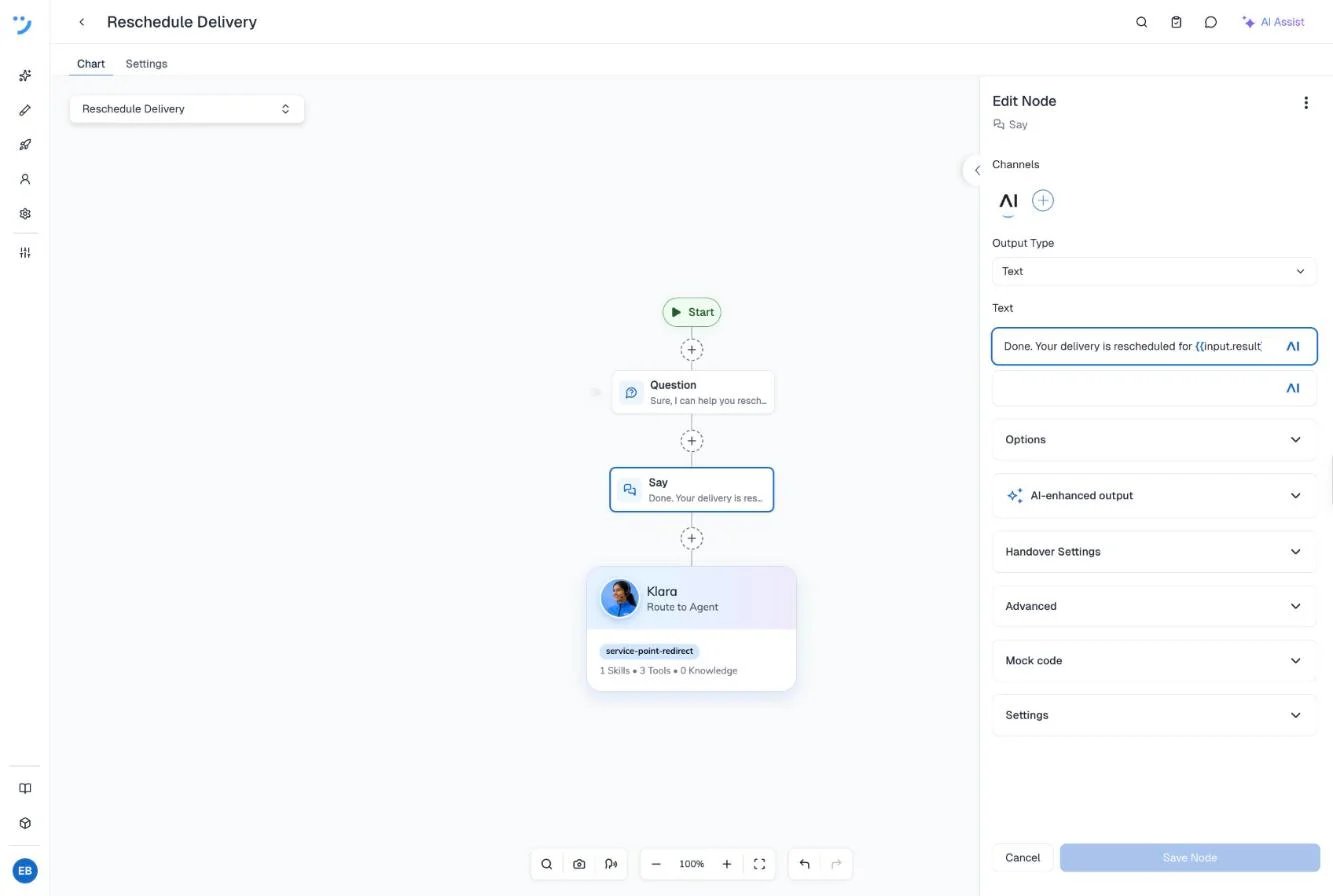
Confirm the date
-
Click the plus icon below the Question node. In the search field, enter
Sayand select Say. - Click the Say node.
-
In the Text field, enter the following text:
- Click Save Node.
4
Hand the conversation back to the agent
The flow ends after the Say node, but it still owns the conversation. Without a further step, the next message from the customer goes to the flow and starts it again from Start. To return the conversation to Klara, add an Agents node. The Agents node must be the last node in the flow. No node can follow it.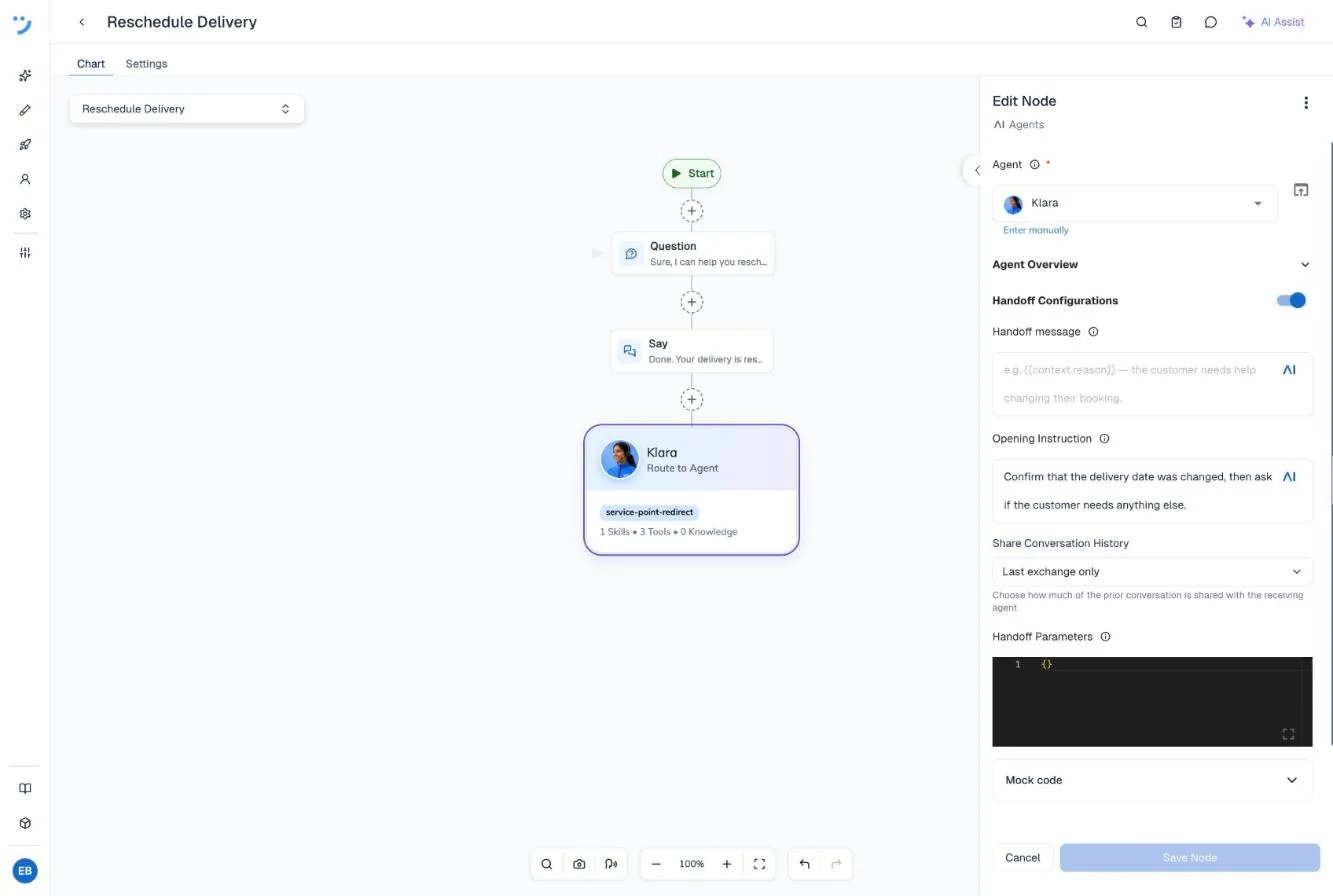
- Click the plus icon below the Say node. Open the AI category and select Agents. On the flow chart, the node shows Route to Agent.
- Click the node. In the Agent list, select Klara.
- Turn on Handoff Configurations. The toggle is off by default. When you turn it on, the Opening Instruction and Share Conversation History fields appear.
-
In the Opening Instruction field, replace the default text, “Greet the user and briefly explain how you can help.”, with the following text. Klara follows this instruction when the conversation returns to her.
- Keep Share Conversation History set to Last exchange only. Klara then sees everything from the customer’s last message onward: the date and the flow’s confirmation. This lets her confirm the date without asking again.
- Click Save Node.
5
Add the route to flow tool
Add the tool that lets Klara start the flow.
- Go to Design > Agent and open Klara.
- Go to the Tools tab and click Add tool.
- On the System tools tab, select Route to Flow.
-
In the Name field, enter
Reschedule Delivery. -
In the Description field, replace the text with the following text. Klara reads the description to decide when to call the tool.
- From the Select flow list, select Reschedule Delivery.
6
Configure the handover
Continue on the same page: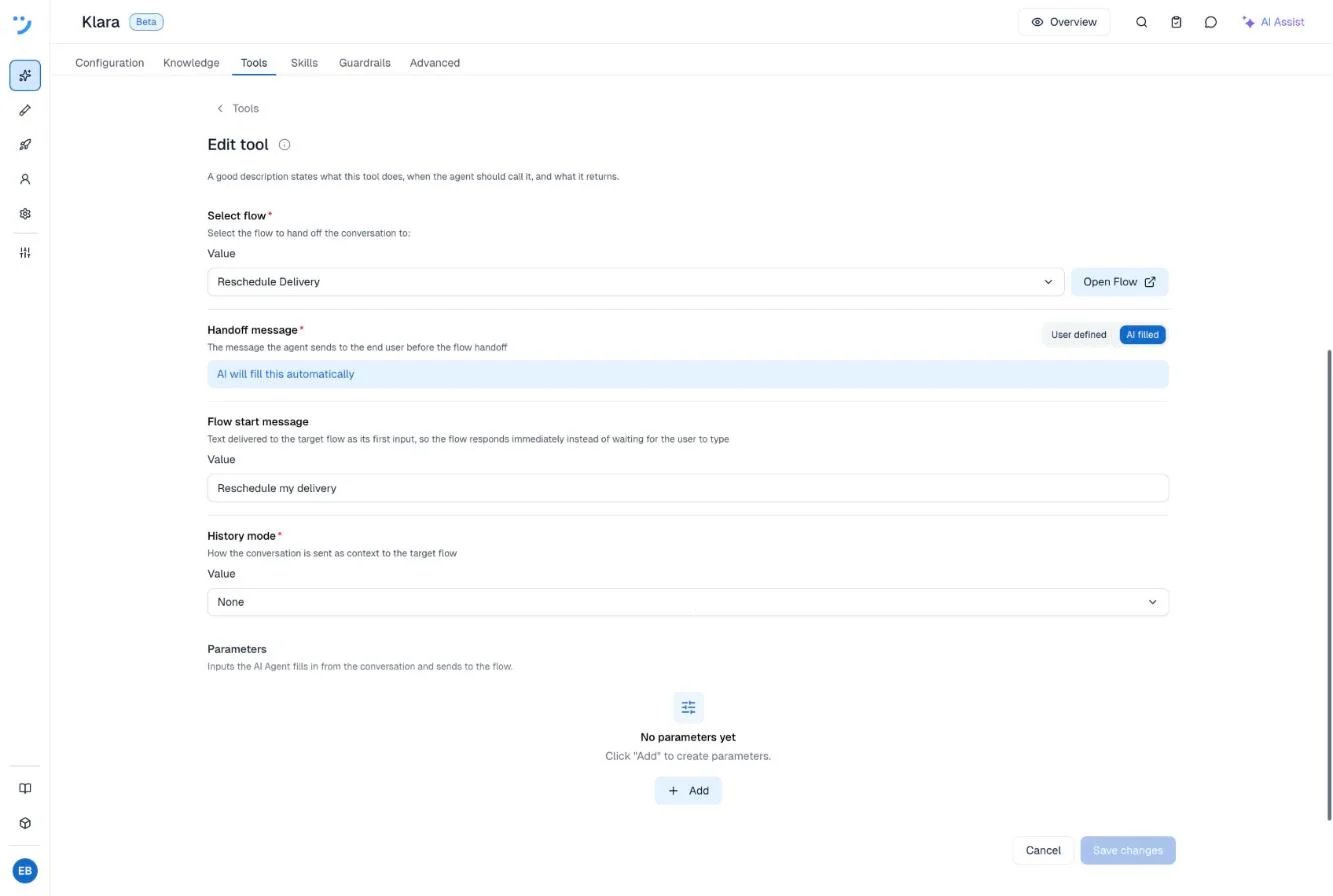
- Under Handoff message, keep AI filled. Klara then writes the sentence that she says before the handover.
- In the Flow start message field, enter
Reschedule my delivery. Cognigy sends this text to the flow as its first input, so the flow responds right away instead of waiting for the customer to type. - Under History mode, keep None. The flow then receives none of the earlier conversation. It doesn’t need any, because it asks for the date itself. The other options are Last turn, AI-generated summary, and Full conversation.
- Click Save. The tool appears on the Tools tab as a direct tool.
7
Test the round trip
- In the upper-right corner, click the chat icon to open the Interaction Panel.
- Select Chat.
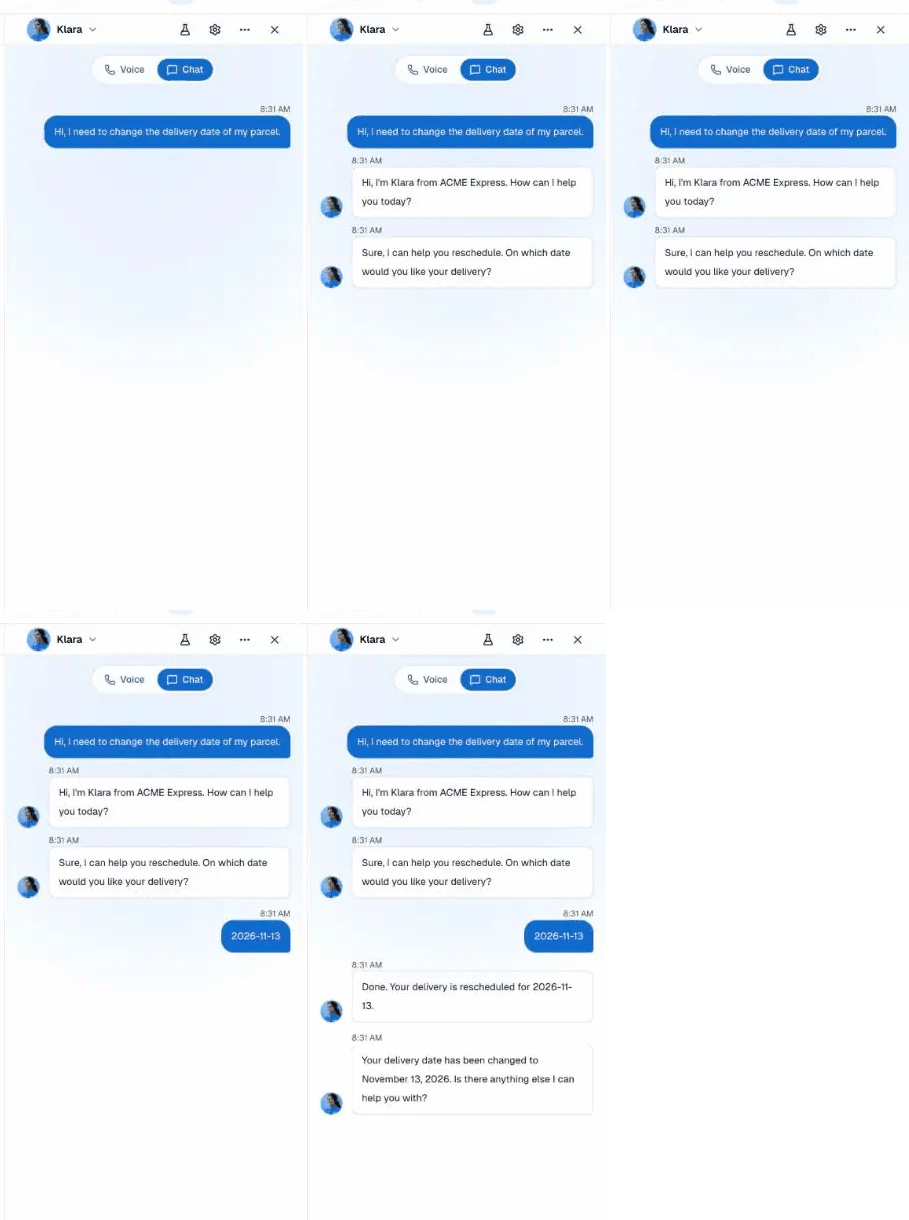
- Enter
Hi, I need to change the delivery date of my parcel.Klara says a short transition line that she writes herself, for example, “Sure, let me take you to our rescheduling process.” Then the flow asks “Sure, I can help you reschedule. On which date would you like your delivery?” - Enter
2026-11-13. The flow answers “Done. Your delivery is rescheduled for 2026-11-13.” - Klara takes the conversation back right away, in the same turn, and follows the opening instruction, for example, “Your delivery date has been changed to November 13, 2026. Is there anything else I can help you with?”