

- Faster setup. Install prebuilt resources instead of building them.
- Flexibility. Customize installed resources for your use case.
- Reach. Install or upload custom resources in your project to reuse.
How to use
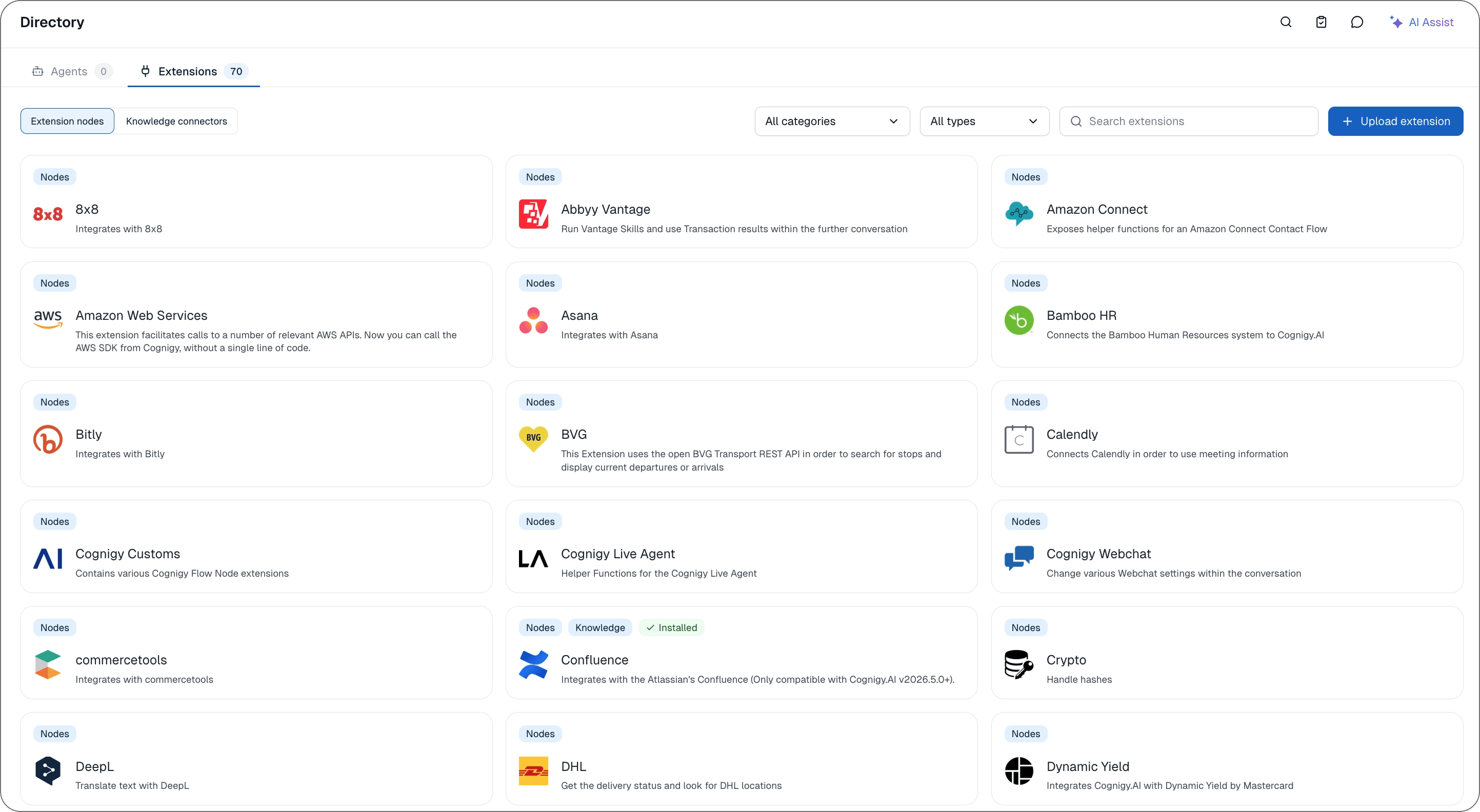
The directory provides prebuilt extensions and lets you upload custom extensions. On the Extensions tab, you can manage extensions that extend the functionality of your agents with extension nodes and knowledge connectors.Manage extensions
The Extensions tab displays all prebuilt or uploaded custom extensions as cards. The extension cards can include the following tags:Nodes— the extension includes an extension node.Knowledge— the extension includes a knowledge connector.Installed— the extension is installed.Custom— a custom extension that you uploaded.
Install extensions
Install extensions
- On the Extensions tab, select Extension nodes or Knowledge connectors.
- Click the extension you want to install. The extension card expands with details.
- Click Install, then click Install extension to confirm that you accept the terms of the third-party providers.
Update or uninstall an extension
Update or uninstall an extension
Extensions with a newer version show Update available. Open the extension, then click Update or Uninstall. In the dialog, confirm with Update extension or Uninstall extension.
Upload a custom extension
Upload a custom extension
- On the Extensions tab, click + Upload extension.
- Drag your extension file into the dialog, or click Browse to upload and select the extension file from your device.
- Click Upload.