

- Three Testing Modes. Test your AI Agent across all Channels with the chat, voice call, and live follow modes to simulate real-world interactions.
- Memory Inspection and Extraction. View and extract the data stored in the AI Agent’s memory to analyze its behavior, as well as to identify potential areas for improvement.
- Playbooks. Use Playbooks to save time by automating repetitive tasks and catching errors efficiently.
- Flexible Configuration. Design custom test scenarios for in-depth analysis of your AI Agent’s behavior.
Prerequisites
Explore the Interaction Panel
To open the Interaction Panel, click
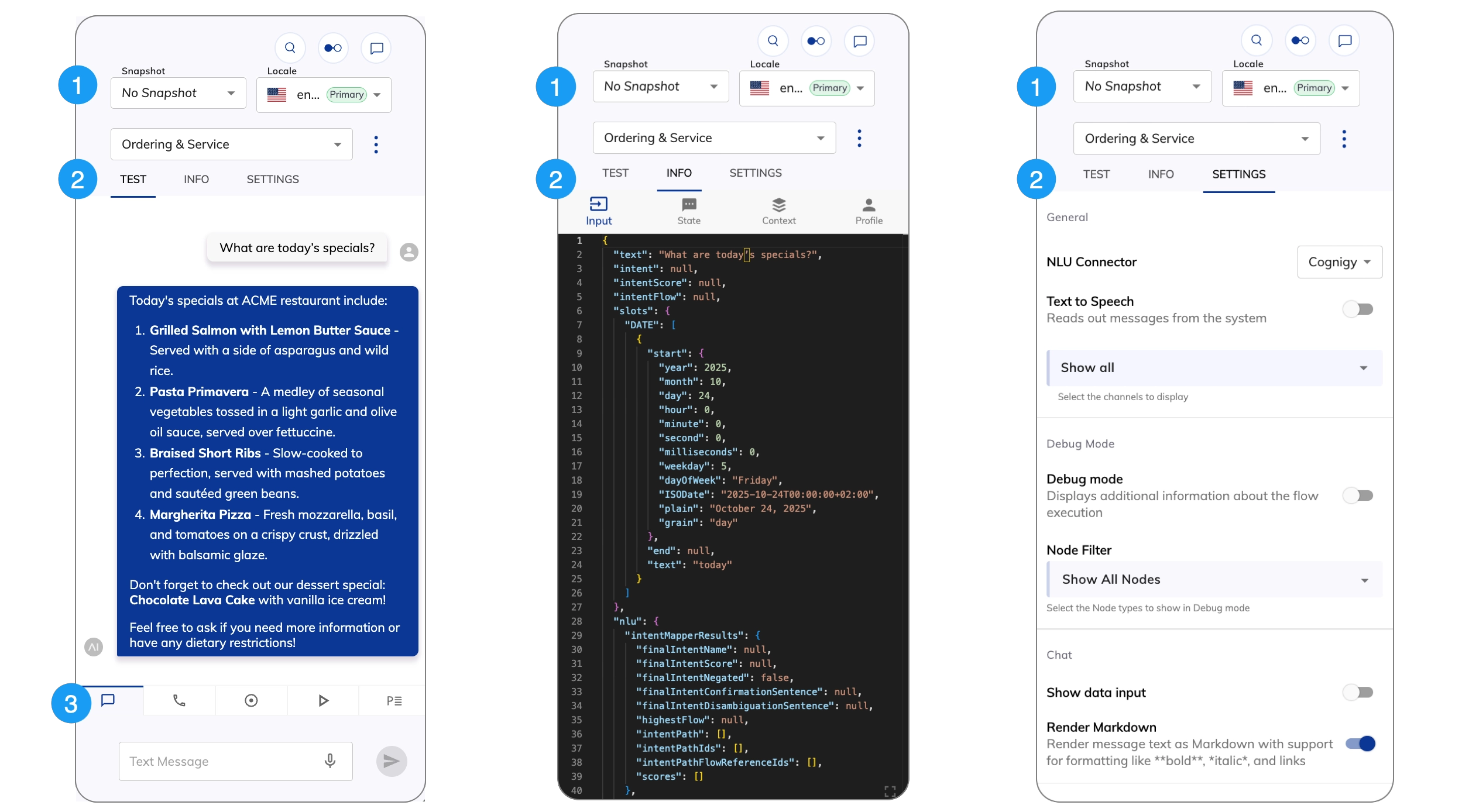
| UI Element | Type | Description |
|---|---|---|
| Snapshot | List | This setting is optional. If applicable, you can select the Snapshot of a Project to test your AI Agent. |
| Locale | List | Define the language your AI Agent should use for testing. |
| Flow | List | Select the Flow you want to test with the AI Agent. |
 | Action menu | Use this menu to:
|
2. Panel Tabs
2. Panel Tabs
3. Mode Tabs
3. Mode Tabs
| Tab | Description |
|---|---|
 | Test your chat AI Agent in the Chat panel. |
 | Test your voice AI Agent in the Voice Call panel. |
 | Monitor your AI Agent in real time in the Live Follow panel. |
 | Run simulated conversations using LLMs. |
 | Test your AI Agent using a Playbook. |
Configure the Interaction Panel
Settings
Settings